Better Home Office

Naveen Kumar
| 30-01-2026
 · Lifestyle Team
The laptop opens, the chair rolls back, and suddenly the kitchen table becomes a workspace again. At first it feels convenient, even cozy.
A few weeks later, your shoulders ache, cables tangle near your feet, and it's harder to switch into work mode. A home office doesn't fail because it's small or simple. It fails when it doesn't support how you actually work throughout the day.
Good home office design isn't about style trends or expensive furniture. It's about reducing friction. Every adjustment should solve a real problem: distraction, fatigue, clutter, or lack of focus. When the space works with you instead of against you, productivity becomes steadier and workdays feel lighter.
Choose a location that supports your energy
The first decision is where your office lives. Many people pick a spot based on what's available, not what's effective. That often leads to working in high-traffic areas or places tied too closely to rest.
Look for a location that naturally signals “work” to your brain. It doesn't need a door, but it should have some separation from daily noise and movement. Even a corner of a room can work if it's visually defined.
Before committing, sit there for ten minutes during a normal work hour. Notice distractions, light changes, and background noise. If you're constantly turning your head or adjusting your seat, the location may be draining your focus without you realizing it.
Desk and chair come before everything else
Decor can wait. Comfort cannot.
Your desk height should allow your forearms to rest parallel to the floor while typing. If your shoulders lift or drop noticeably, the height is wrong. For many people, adding a keyboard tray or raising the chair slightly solves this without buying a new desk.
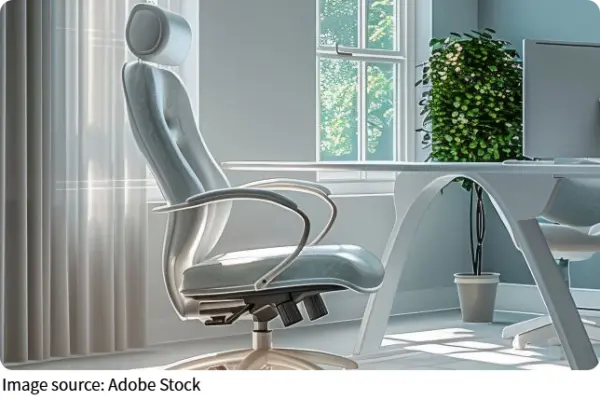
A supportive chair matters more than softness. Look for firm support in the lower back and a seat that lets your feet rest flat on the floor. If your feet dangle, use a small stool or box. This single adjustment often reduces leg tension and discomfort by the afternoon.
Think of your desk and chair as tools, not furniture. If they don't support your body, no amount of organization will fix the discomfort.
Light affects focus more than you think
Lighting problems sneak up slowly. Eye strain, headaches, and mental fatigue often start with poor light placement.
Natural light is ideal, but placement matters. Position your desk so light comes from the side, not directly in front or behind you. This reduces screen glare and keeps your eyes relaxed.
Add a task lamp with adjustable brightness. Use it for focused work, not ambient glow. Warm, soft light works better for long hours, while harsh white light may increase eye strain and tension over time.
If your workspace feels dull during the day, it's often not motivation—it's lighting.
Organize for movement, not perfection
Many home offices look tidy but feel awkward to use. That's because items are placed based on appearance instead of frequency.
Organize your space in zones:
1. Immediate zone: items you use hourly, like a notebook, pen, or mouse
2. Reach zone: items you use daily, such as chargers or headphones
3. Storage zone: items you use weekly or less
Keep the immediate zone clear and simple. Every extra object competes for attention. If you find yourself shifting things around during the day, your layout needs adjustment, not more storage.
Cables deserve special attention. Loose cords create visual noise and physical clutter. Use clips or simple ties to route them along the desk edge or wall. A clear floor and desktop instantly make the room feel calmer and more inviting.
Create visual boundaries for focus
When work and home blend too closely, concentration suffers. Visual boundaries help signal when you're “on” and when you're not.
A small rug under the desk, a shelf behind your chair, or even a folding screen can define the workspace. These elements aren't decorative extras; they're mental cues.
Keep your background simple, especially if you join video calls. Neutral colors and a few personal items work better than busy patterns. Visual calm supports mental clarity.
Temperature, sound, and small comforts
Comfort goes beyond furniture. Temperature and sound affect endurance.
If your space runs cool, keep a light layer nearby. If it runs warm, a small fan aimed away from your face improves air movement without distraction. Constant discomfort drains attention faster than most people realize.
Sound matters too. Total silence isn't always ideal. Soft, consistent background noise often supports focus better than unpredictable household sounds. The key is consistency, not volume.
Add one or two personal comforts: a plant, a textured mat under your feet, or a mug you enjoy holding. These details make long hours feel human rather than mechanical.
End-of-day reset habits
A home office works best when it resets daily. Spending five minutes at the end of the workday clearing the desk and closing the laptop creates a clean start tomorrow.
Simple habits help:
1. Stack papers or notebooks
2. Plug devices into their charging spots
3. Push the chair in and turn off the lamp
These actions signal closure. Over time, they also make it easier to mentally step away from work, even if the office is only a few steps from where you relax.
A home office doesn't need to be perfect. It needs to support your body, protect your attention, and adapt as your work changes. Look at your space tomorrow morning and ask yourself one honest question: what's making work harder than it needs to be? Fixing just one of those issues is often enough to feel the difference by the end of the day.